
Accessibility and Multi Language Compliance in Public-Facing Kiosks: An ADA and EAA Spec Checklist for Retail and Government Buyers
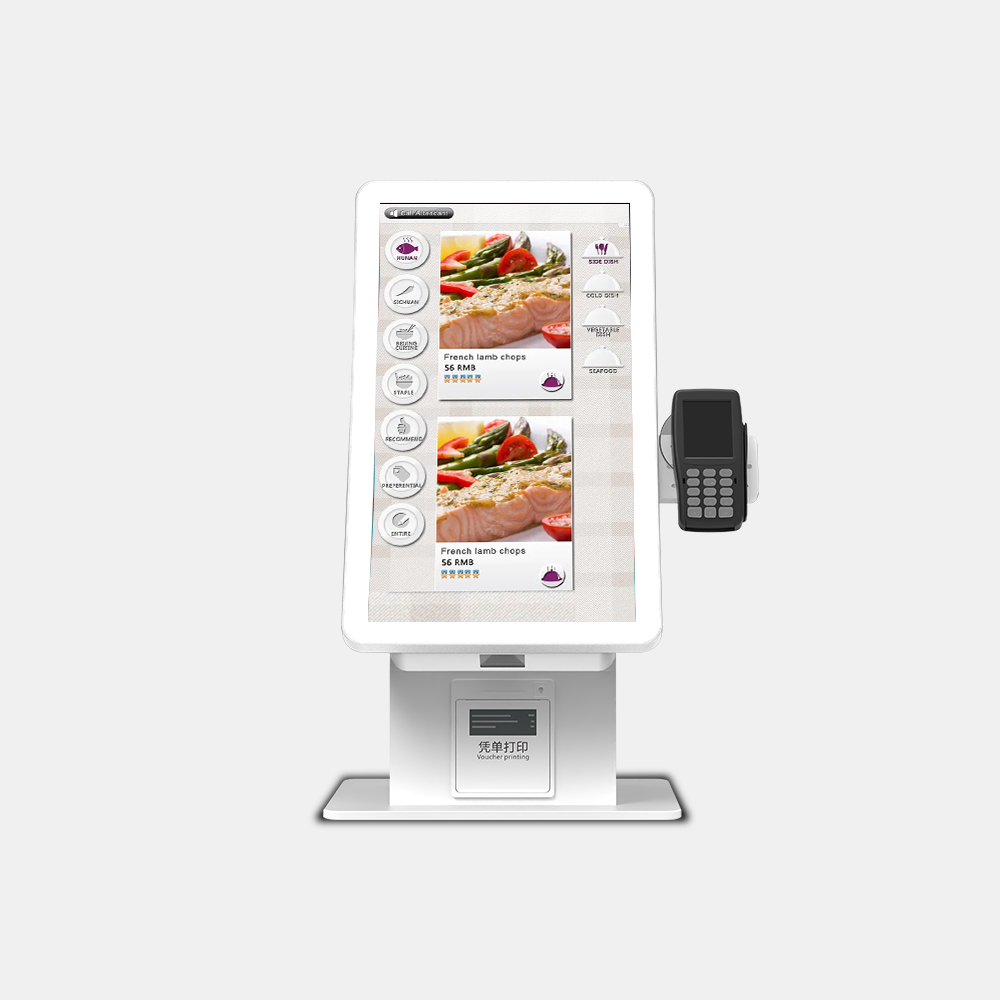
Accessibility and multi language compliance in public-facing kiosks cannot be satisfied by a single clause in a tender document. There is no kiosk-specific US technical standard in force, so buyers must convert ADA Title III, Section 508 closed-functionality provisions, EN 301 549 and the European Accessibility Act into measurable hardware and software specification lines — reach heights, clear floor space, activation force, tactile keypad layout, audio prompt routing, screen contrast and language bundles — that three vendors can answer identically.
Why “must be ADA compliant” is not a specification
“Must be ADA compliant” is not a specification because no US technical standard tells a manufacturer what an accessible self-service kiosk must physically be. Buyers who accept that phrase as a requirement receive vendor assurances that cannot be compared, tested or enforced at acceptance.
Kiosks in public-facing environments fall under Title III of the Americans with Disabilities Act as places of public accommodation, which requires equal access to goods and services rather than naming a component list ([4]). In practice that means obligations attach to screen height, reach range, audio output and user interface design, not to a fixed bill of materials ([5]).
The European Accessibility Act operates differently: it sets a legal deployment bar rather than a build instruction, so it determines whether a kiosk may be placed in service in the EU at all ([2]). Both regimes therefore push the same work back onto the buyer — writing requirements that a supplier can be held to.
The rule that almost happened, and what to specify instead
The US Access Board has worked on self-service transaction machine (SSTM) rulemaking to give kiosks explicit technical criteria, but that rulemaking has not produced a binding kiosk-specific standard in force. Treat any figure you adopt today as an interim specification recommendation drawn from adjacent rules, not as settled kiosk law.
Aviation is the exception worth knowing, because airport self-service kiosks sit under a separate accessibility duty in 14 CFR 382.57(c), which covers automated airport kiosks for air travel. That narrow scope is exactly why generic kiosk procurements need their own acceptance language.
| Rule or effort | Current status | What it means for your RFQ |
|---|---|---|
| US Access Board SSTM rulemaking | Not a binding kiosk-specific standard in force | Do not cite it as law; use its direction as an interim specification recommendation |
| 14 CFR 382.57(c) | Applies to automated airport kiosks | Relevant only if you deploy in air travel; check scope before relying on it |
| ADA Title III | In force | Requires equal access; you must define the measurable criteria yourself |
| European Accessibility Act | In force for EU deployment | Add an EU deployability gate with dated evidence |
ADA compliant kiosk requirements: the physical acceptance table
ADA compliant kiosk requirements become enforceable only when each obligation is paired with a value, a pilot acceptance test and the bill-of-materials line that carries it. The numeric anchors below are drawn from the US Access Board ADA and ABA Accessibility Guidelines provisions that cover ATMs and fare machines, which remain the closest published analogue for accessible self-service kiosk design.
| Requirement | Value | Acceptance test at pilot | Bill-of-materials line |
|---|---|---|---|
| Forward reach | 48 in max above finish floor | Tape-measure the highest operable element on a delivered unit and photograph it | Enclosure mounting height; screen tilt bracket |
| Side reach | 24 in max unobstructed depth | Measure obstruction in front of the control with a test rig | Peripheral tray depth; card reader bezel |
| Knee and toe clearance | 27 in min knee height | Insert a fixed 27 in gauge under the console | Enclosure pedestal cutout; plinth design |
| Clear floor space | 30 by 48 in min | Mark the footprint on site and confirm no module intrudes | Bollard and stanchion layout; kiosk base footprint |
| Activation force | 5 lbf max | Load-cell test on every key, button and touch target | Keypad switch spec; capacitive touch panel tuning |
| Tactilely discernible controls | Function identifiable by touch | Blindfolded operator walkthrough on a delivered unit | Tactile keypad overlay; raised markers |
Printers, scanners, cash acceptors and card readers all count as operable parts, so a wheelchair reach test must cover the whole peripheral cluster rather than the display alone. Because kiosk enclosure design decides mounting height, console depth and switch geometry, accessibility drift in a project usually starts as an enclosure change made after the accessibility review. Lock the values above into the drawing set before tooling, and specify the force limit on the switch datasheet rather than the marketing sheet.
Audio prompts and tactile keypads: making the interface work without the screen
A tactile keypad and audio prompt kiosk uses a self-voicing interface rather than a screen reader, because closed-functionality hardware cannot rely on a third-party assistive technology being installed. Vispero’s accessible self-service work pairs JAWS screen-reader technology with kiosk accessibility expertise, which is one route; the alternative is speech output built into the kiosk application itself ([1]).
The non-visual interaction path has four stages:
- Speech output. The application announces screen content, options and confirmation steps, and must be audible through a handset or a private audio route.
- Tactile navigation input. A physical keypad with a stable, learnable layout drives navigation, so the user does not depend on locating a moving touch target.
- Keypad layout markers. Raised dots or a standard numeric arrangement let the user orient by touch before the first prompt finishes.
- Private audio routing. A handset or directional speaker keeps card and personal data out of the public soundscape.
Split responsibility explicitly. The OEM or ODM should supply the tactile keypad hardware, handset jack, audio amplifier and volume control, plus documented switch travel and activation force. The integrator or software owner must supply the speech prompt script, focus order, keypad mapping to interface functions and the audio routing logic — the same split that applies to any kiosk peripheral integration project.
WCAG 2.1 AA kiosk interface checklist: the layer buyers forget to own
A WCAG 2.1 AA kiosk interface checklist is the software counterpart to the physical table above, and buyers routinely leave it unassigned. Kiosks and ATMs can meet regulatory requirements and remain usable, but only when the interface work is actually commissioned ([3]).
- Contrast of at least 4.5:1 for text and essential interface graphics.
- Text resize and layout that survives enlargement without clipping or overlap.
- No content that flashes more than the permitted threshold.
- Full keyboard and screen-reader operability of every task path, including payment and receipt steps.
- Timeout handling that warns the user and allows extension before session data is cleared.
Accessible self-service kiosk design fails most often at the ownership seam: the OEM warrants hardware tolerances, but nobody has contractually owned the interface. Assign UI conformance to the software party in writing, with the WCAG level and the audited screens listed.
Venue matters: what changes for retail versus government and transit
Evidence demands diverge sharply by venue even when the hardware is similar. A restaurant self-ordering kiosk, hotel self-check-in kiosk or retail self checkout kiosk is usually judged on complaint risk and customer experience, while hospital registration kiosks and government service or ticketing terminals are judged on documented procurement evidence.
| Criterion | Retail, QSR, hotel, retail checkout | Hospital, government service, ticketing |
|---|---|---|
| Evidence demanded | Vendor statement or VPAT, rarely audited | Documented conformance report tied to the contract |
| Language obligation | Set by the operator and local market | Often set by funding authority or statute |
| Audit expectation | Self-attestation acceptable at launch | Independent audit frequently requested |
| Access route pressure | Space and queue design within the store | Public building standards and accessible route rules |
In healthcare, access duties are outcome-based rather than component-based: 45 CFR 84.83 requires that health programs and activities be readily accessible to and usable by individuals with disabilities. That pushes the burden onto documented usability evidence rather than a parts list, and makes the acceptance table above a minimum rather than a target.
Multi-language content compliance on public-facing kiosks
Multi-language kiosk content compliance splits into four layers that vendors often quote as one line item, which is why language costs surprise buyers late in a project.
- Interface translation — buttons, prompts and error strings held in a string table, not hard-coded in the build.
- Content translation — product, service, menu or registration content, which may be updated by the operator rather than the vendor.
- Audio prompt language — recorded or synthesised speech, with a language selection step that blind and low-vision users can reach without sight.
- Receipt output — printed and on-screen confirmation in the selected language, including any legal or statutory text.
Language duties are usually set by the deploying authority, not by one global standard, so a retail chain and a transit authority in the same city can face different requirements. Regional obligations such as Korean accessibility mandates expand the same way, layering local criteria on top of the EAA and ADA baselines ([6]).
Third-party audit and pilot acceptance: what to put in the RFP
Kiosk accessibility RFP requirements work only when every obligation becomes a deliverable with an owner and a due date. Build the following into the contract schedule:
- A completed VPAT documentation package for the hardware and any bundled software, provided before award rather than after delivery.
- A pilot unit available for wheelchair reach testing and blindfolded tactile walkthrough at the buyer’s site, not at the factory.
- Manufacturer drawings showing mounting height, console depth, knee clearance and clear floor space, signed as a controlled revision.
- A WCAG 2.1 AA conformance statement naming the audited screens, issued by the party that owns the interface code.
- Audio prompt script and keypad mapping tables, delivered as editable source files with the software package.
- A language bundle list naming every supported locale and its coverage for interface, content, audio and receipt output.
The OEM can warrant what it controls: switch force, reach geometry, handset hardware, panel contrast in isolation and the tactile keypad overlay. Only the software owner can warrant interface conformance, prompt completeness, timeout behaviour and language coverage, because those live in code the hardware vendor never sees. Write that boundary into the contract at the point where hardware acceptance ends and software acceptance begins — then hand the same acceptance table to each bidder and compare line by line.
This article is procurement planning guidance, not legal advice. There is no kiosk-specific US technical standard in force today; buyers in regulated verticals should confirm obligations, EN 301 549 version and any state-level additions with their own compliance or legal team at the time of tender.
Related guides
- Education Tablet OEM RFP Checklist 2026: Turn Tender Signals Into a Privacy-Ready Spec
- Education Tablet RFP Specifications: Android 14+ Firmware Verification and RAM/Storage Tiers for 2026
- Education Tablet RFP Requirements: Building a COPPA/GDPR-K-Ready Spec and Firmware Brief
- Education Tablet OEM RFP Checklist (2026): Turning Android Market Signals Into a Tender-Ready Spec
Content reviewed: 2026-09-13.
Evidence confidence
Confidence: Medium. This rating reflects cross-checking 6 sources across 6 independent domains. It measures evidence coverage, not certainty; verify safety-critical work against manufacturer instructions and local requirements.
References
APA 7th edition
- ↑Vispero. (n.d.). Accessible Self-Service & ADA-Compliant Kiosks. Retrieved September 13, 2026, from https://vispero.com/accessible-self-service/.
- ↑Selfservice. (2026). EAA Checklist for 2026. https://selfservice.io/eaa-checklist-for-2026/.
- ↑DEQUE. (2024). Accessibility for Retail Kiosks, ATMs, and displays. https://www.deque.com/blog/retail-and-information-kiosks-and-bank-atms-must-be-accessible-too/.
- ↑Xprpos. (2026). ADA Compliance for Self-Order Kiosks: The Liability Gap. https://www.xprpos.com/posts/ada-compliance-self-order-kiosks-liability-gap.
- ↑Kiosk Marketplace. (n.d.). Kiosks and compliance: What operators need to know this year and beyond. Retrieved September 13, 2026, from https://www.kioskmarketplace.com/articles/kiosks-and-compliance-what-operators-need-to-know-this-year-and-beyond.
- ↑Kioskindustry. (n.d.). Kiosk Accessibility Regulations: Asia & Korea Mandates & Compliance. Retrieved September 13, 2026, from https://kioskindustry.org/accessibility-mandate-kiosks.
You should also read:

Transparent LCD Showcase vs Transparent LED: Selecting the Right Technology for Your Retail Showcase
Transparent LCD Showcase vs Transparent LED: Where the Two Technologies Differ For transparent LCD vs transparent LED display shopping, the split comes down to use: transparent LCD suits close-view product showcases where a physical item stays visible behind the screen, while transparent LED suits large…
Continue reading...
Transparent LCD Showcase Ambient Light Specification Guide: Contrast Ratio, Reflectance & Viewing Angle
A transparent LCD showcase has to stay see-through while competing with storefront illumination — that tension, not the panel’s datasheet, decides whether your content is readable. Because a transparent LCD panel does not emit light on its own, it relies on a backlight and controlled…
Continue reading...
Transparent LCD CMS & SoC Compatibility Checklist
The Integration Gap No Hardware Spec Sheet Covers A transparent LCD CMS SoC compatibility checklist answers one question before you sign off: can this panel run my content management system, my network, and my content pipeline on day one? Hardware spec sheets cover transparency ratio…
Continue reading...